Login
Login

 Suomeksi
 På Svenska



















 add to cart
 Add to wish list
xTool O1 Omni, Apparel Printer Plus or F2 Ultra UV? How to choose the right device
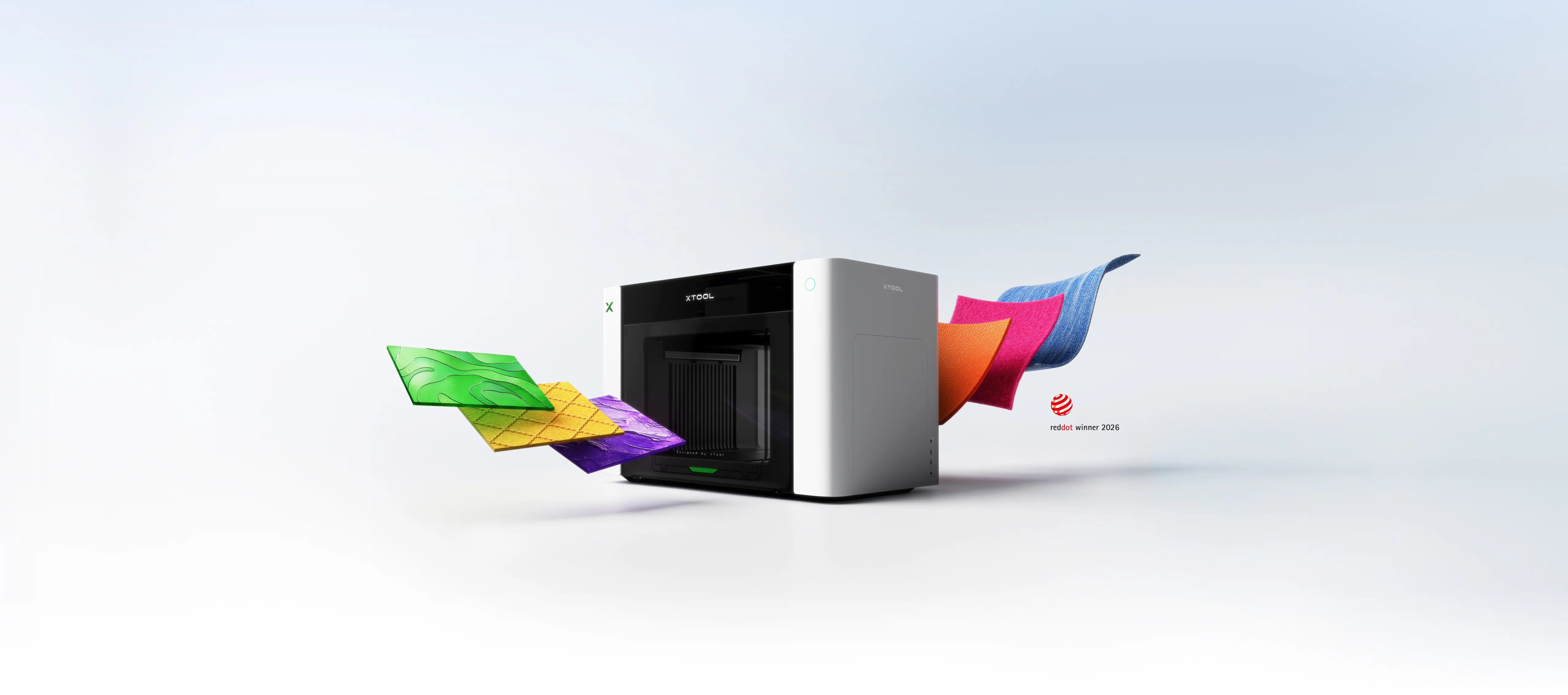
xTool's range of printers and UV lasers has expanded rapidly. At the same time, choosing the right device can be surprisingly difficult: the xTool O1 Omni is available in three different versions, the Apparel Printer Plus is designed for textiles, and the F2 Ultra UV uses a UV laser instead of ink.
The devices may seem like competing options, but in reality they serve distinctly different purposes. In this guide, we'll walk you through what each device can actually do – and where their limitations come into play.
The first important difference: printing and laser engraving are not the same thing
The xTool O1 Omni and Apparel Printer Plus are inkjet printers that add color to the surface of a material or transfer film.
The xTool F2 Ultra UV is a 355 nm UV laser. It does not print ink, but rather modifies the surface of the material with a laser beam. Therefore, it can be used to perform highly precise marking and engraving on, for example, glass, plastics, metal, acrylic, ceramics and many other materials.
If you want a photo or a colored logo on a product, O1 Omni is the right starting point. If you are looking for permanent laser marking, fine engraving or 3D engraving inside the glass, F2 Ultra UV is the right technology.
xTool O1 Omni – three different versions
The O1 Omni is available with three different printhead configurations. All UV versions share the same basic features: a print area of ??up to 330 × 420 mm, 720 × 1440 dpi resolution, white UV ink, and varnish and texture effects.
| Feature | Single UV | Dual UV | UV + DT |
|---|---|---|---|
| UV direct printing | Yes | Yes | Yes |
| UV DTF | Yes | Yes | Yes |
| White UV ink | Yes | Yes | Yes |
| Varnish and textures | Yes | Yes | Yes |
| Flexible White | No | Yes | No |
| Fluorescent UV colors | No | Yes | No |
| DTG garment printing | No | No | Yes |
| DTF textile printing | No | No | Yes |
O1 Omni Single UV – a smart choice for most UV printing jobs
Single UV is the basic version of the O1 collection, but its features should not be underestimated. It includes CMYK colors, white UV ink and varnish.
It can print, for example:
- acrylic signs and products
- wood and plywood
- metal signs and metal cards
- glass and ceramics
- plastic products
- phone cases
- nameplates and awards
- UV DTF Transfers
- embossing and textures
Thanks to the white ink, full-color images can also be printed on dark and transparent materials. The varnish layer, on the other hand, allows for shiny details and various surface effects.
Single UV is sufficient for most users who want to make colored personalized products on hard materials. The Dual version is not needed just because you want to make regular embossing or UV DTF products.
O1 Omni Dual UV – when flexible materials and special effects are needed
Dual UV adds a second UV printhead to the machine. Its main additional features are Flexible White UV ink and fluorescent red and yellow ink .
Flexible White is useful for applications such as leather, faux leather and other flexible materials. Regular rigid UV ink can crack when bent too hard, while flexible white ink is better designed for such applications.
Fluorescent colors, on the other hand, can be used to create striking effects that differ from standard CMYK printing.
Dual UV is a good choice when these features are truly part of the planned production. For standard acrylic, wood, metal and sign printing, Single UV already offers many of the same possibilities.
O1 Omni UV + DT – hard products and textiles on the same machine
In the UV + DT version, the second print head is not a UV head, but a DT print head for textiles. This means that both UV products and garment prints can be made with the same device.
The UV side uses CMYK, white and varnish. The textile side can be used for both DTG (direct to garment) and DTF (transfer) printing .
This makes the UV + DT model very interesting, for example, for a personalization company that uses the same machine to make phone cases, signs, gift items, and smaller quantities of shirts or tote bags.
However, it is good to understand that DTG and DTF production include other work steps in addition to printing.
DTG is not just about printing
In DTG printing, the garment is pre-treated before printing and the finished print is heat-fixed. The technology works best on garments with a high cotton content.
DTF needs powder, drying and heat press
In DTF, the image is first printed on PET film. Hot melt adhesive powder is then added to the print, the powder is melted, and the finished transfer image is pressed onto the textile with a heat press.
If textiles are only produced as part of a larger personalization service, the O1 UV + DT offers an exceptional range of possibilities with a single machine. However, if textile production is the core of your business, you should consider the Apparel Printer Plus system.
xTool Apparel Printer Plus – when textile production is the main thing
The Apparel Printer Plus is a DTF printer specifically designed for apparel and textile production. It has a maximum print area of ??approximately 356 × 600 mm and uses two Epson I1600 printheads.
The great advantage of DTF is the breadth of materials. The finished transfer image can be heat-pressed onto, for example, cotton, polyester, blended fabrics, denim, canvas and many technical textiles.
The Apparel Printer Plus can be combined with the xTool OS1 Automatic Shaker Oven, which automates the most laborious steps of the traditional DTF process: applying adhesive powder, shaking off excess powder, and drying the transfer image.
The user is then left with a finished DTF transfer image, which is transferred to the product using a heat press.
If the goal is to continuously produce shirts, hoodies, workwear or other textiles, the Apparel Printer Plus is usually a more natural solution than the O1 UV + DT.
xTool F2 Ultra UV – a completely different UV technology
The UV in the name of the F2 Ultra UV might easily lead you to compare it to the UV printing of the O1. However, it is a completely different technology.
The F2 Ultra UV uses a 5 watt 355 nm UV laser . The ultra-short wavelength of the UV laser is suitable for precise and low-heat material processing.
Typical applications include:
- highly precise surface engraving of glass
- 2D and 3D interior engraving of glass and crystal
- plastic marking
- acrylic engraving
- silicone and rubber marking
- metal marking
- ceramics
- wood and leather
- very small texts, logos and details
The working area for surface engraving is 200 × 200 mm. The working area for interior engraving of glass is 70 × 70 mm and the height of the interior engraving can be up to 150 mm.
However, the F2 Ultra UV is not a color printer. It cannot print a photo in CMYK colors on the surface of a product, and UV laser should not be confused with UV inkjet printing.
The F2 Ultra UV is also not a metal cutting laser. Its strengths include precise marking, engraving and glass engraving.
O1 Omni or F2 Ultra UV?
| Need | Recommended device |
|---|---|
| Colored logo for metal | O1 Omni |
| Photo on acrylic | O1 Omni |
| White printing on transparent acrylic | O1 Omni |
| UV DTF transfer image | O1 Omni |
| Embossed colored logo | O1 Omni |
| Highly accurate permanent marking on plastic | F2 Ultra UV |
| Fine engraving on glass | F2 Ultra UV |
| 3D image inside the crystal | F2 Ultra UV |
| Small serial number or technical marking | F2 Ultra UV |
| Shirts and other textiles in production use | Apparel Printer Plus |
However, the O1 Omni does not print without problems on all surfaces.
One of the most important things in UV printing is ink adhesion. Just because a machine can physically print onto a material doesn't mean the print will last.
For example, a primer suitable for the material is often used for glass, metal and acrylic. Some coated plastics, silicone and special surfaces always require a material-specific test.
This is a normal part of professional UV printing. Proper pre-treatment can greatly improve the scratch and peel resistance of your print.
UV and textile printers also need maintenance
The O1 Omni and Apparel Printer Plus are inkjet printers. Especially for printers using white pigment ink, ink circulation and printhead maintenance are important.
The devices' automatic maintenance functions make use significantly easier, but you shouldn't think of a printer in the same way as a laser, which can be left unused for long periods of time without an ink system.
It is a good idea to keep the O1 Omni plugged in so that its automatic maintenance functions can work even when the device is not being used at that moment.
What about the software?
The O1 Omni works with xTool's proprietary software environment, making setup and routine tasks easier than with many traditional industrial UV printers.
On the other hand, O1 does not currently support third-party RIP software, which is something to consider if you already have a professional print production environment and your workflow is based on a specific RIP environment.
Which xTool should you choose?
Choose O1 Omni Single UV when:
- the main focus is on full-color printing of hard products
- you want to use white UV ink and varnish
- you want to make UV DTF products
- you want to make textures and embossing
- you don't need textile printing or special fluorescent colors
Choose O1 Omni Dual UV when:
- you print on a lot of flexible materials
- you need Flexible White ink
- you want to use fluorescent UV colors
- UV printing is clearly the main focus of production
Choose O1 Omni UV + DT when:
- you want both UV products and textiles on one machine
- you make shirts and fabric products in small to medium quantities
- Versatility is more important than maximum efficiency of a single production method
Choose Apparel Printer Plus when:
- The main business is printing clothing and textiles.
- you need a more efficient DTF workflow
- you want to print on a wide variety of textile materials
- production volumes are higher
Choose F2 Ultra UV when:
- you want highly accurate laser marking
- you work a lot with plastics, glass or crystal
- you want to make 2D or 3D internal engravings on glass
- you want permanent laser marking on the surface of the material instead of inkjet printing
O1 Omni and F2 Ultra UV form a very versatile combination
In versatile personalization production, you don't necessarily have to choose between O1 and F2 Ultra UV.
The O1 Omni handles full-color printing, white ink, varnish, UV DTF and embossed prints. The F2 Ultra UV handles precise laser marking, engraving on plastics and glass, and 3D images inside crystal.
Together, these two technologies cover a significantly wider product range than either alone.
Summary
The O1 Omni Single UV is the most sensible starting point for most people who need UV printing for hard products.
The O1 Omni Dual UV brings flexible white ink and fluorescent specialty colors.
O1 Omni UV + DT combines UV printing for hard products with DTG and DTF textile printing.
Apparel Printer Plus is the right choice when clothing and textile production is at the heart of your operations.
The F2 Ultra UV is not a printer, but a highly precise UV laser that opens up completely different possibilities, especially for glass, crystal, plastics and fine marking.
The right solution depends primarily on what products you want to manufacture and in what quantities. If you are wondering about choosing between different xTool options, please contact us – we will help you evaluate the right configuration for your application.